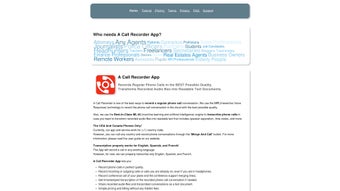

Download Acallrecorder – Efficient Call Recording & Transcription Tool
Overview
Acallrecorder is a cloud‑based call‑recording and transcription service designed for iPhone and Android smartphones. By leveraging IVR (Interactive Voice Response) technology, the platform captures both inbound and outbound conversations with crystal‑clear audio quality, then feeds the recording into a machine‑learning engine that produces timestamped, speaker‑separated transcripts. The service supports three major languages—English, Spanish, and French—making it a versatile choice for business professionals, journalists, podcasters, and anyone who needs an accurate written record of a phone call.
Users can start with a bundle of free minutes to test the workflow before purchasing additional credits on a transparent pay‑per‑minute basis; there is no hidden subscription fee. Whether you are documenting client negotiations, conducting interview research, or keeping personal reference logs, Acallrecorder combines security, speed, and multilingual capability into a single, easy‑to‑use web interface. The platform complies with industry‑standard encryption for data at rest and in transit, ensuring that sensitive information remains protected throughout the recording, storage, and transcription process.
Key Features & Benefits
- High‑Definition Call Capture: IVR routing guarantees loss‑less audio for both incoming and outgoing calls on iOS and Android.
- Multilingual Transcription: Automatic speech‑to‑text in English, Spanish, and French with speaker separation.
- Timestamped Text: Every word is tagged with a precise time‑code, simplifying review and editing.
- Pay‑Per‑Minute Pricing: Transparent credits model eliminates recurring subscription commitments.
- Secure Cloud Storage: End‑to‑end encryption protects recordings and transcripts from unauthorized access.
- Free Starter Minutes: New users receive complimentary minutes to explore the platform before buying credits.
- Web Dashboard: Centralized portal for managing recordings, downloading transcripts, and monitoring usage.
- API Access (Roadmap): Planned integration points for CRM and workflow automation tools.
Why Professionals Choose Acallrecorder
The combination of reliable audio capture and AI‑driven transcription eliminates the manual note‑taking step that traditionally slows down business workflows. Sales teams can instantly reference exact phrasing from client calls, legal professionals can produce audit‑ready records, and content creators can generate subtitles for podcasts with minimal effort. Because the service runs in the browser, there is no need to install bulky native apps, which reduces device storage consumption and simplifies updates—every improvement is delivered instantly on the server side. Moreover, the multilingual support opens doors for cross‑border collaboration, allowing teams to work in their native languages while still maintaining a single source of truth for all call data.
Pros
- Crystal‑clear audio capture via IVR.
- Accurate, speaker‑separated transcripts.
- Supports three major languages.
- Pay‑per‑minute pricing offers flexibility.
- No heavy mobile app—browser‑based UI.
- Free trial minutes for risk‑free testing.
Cons
- Requires an internet connection for both recording and transcription.
- Limited to iOS and Android smartphones; no desktop telephony integration yet.
- Transcription accuracy may vary with strong accents or background noise.
Installation, Usage & Compatibility
Step‑by‑Step Setup
Getting started with Acallrecorder is straightforward and does not involve a traditional “install” process because the service runs entirely in a web browser. Follow these steps to activate the call‑recording workflow on your mobile device:
- Create an Account: Visit acallrecorder.com and sign up using an email address or social login. Verify your email to unlock the free minute bundle.
- Configure IVR Numbers: In the dashboard, generate a unique virtual number for each device you wish to record. The platform will route calls through this number, automatically capturing the audio stream.
- Assign Numbers to Devices: On your iPhone or Android phone, replace your regular carrier number with the provided virtual number for outgoing calls, or simply dial the virtual number to receive inbound calls.
- Make or Receive a Call: Initiate a call as usual; the IVR layer runs silently in the background. After the call ends, the recording is uploaded to the cloud within seconds.
- Access Transcripts: In the web dashboard, click on the newly created recording. Choose “Transcribe” and select the language. The AI engine will generate a timestamped, speaker‑labeled transcript that you can download as TXT or PDF.
Supported Platforms (itemprop="operatingSystem")
Acallrecorder works on any modern mobile device that can access a web browser and place calls through a carrier network. Officially supported operating systems include:
- iOS 13 and later (iPhone, iPad)
- Android 9 (Pie) and later
Because the service relies on a web interface, it is also compatible with desktop browsers for playback and transcript editing, though actual call capture must occur on a supported mobile OS.
Security & Data Privacy
All recordings are encrypted using AES‑256 both in transit (TLS 1.3) and at rest. Users retain ownership of their audio files and can delete them permanently from the dashboard at any time. The platform complies with GDPR and CCPA guidelines, providing data‑export tools for users who need to migrate their records.
FAQ & Conclusion
Can I record calls without informing the other party?
Acallrecorder complies with local regulations. In many jurisdictions you must obtain consent from at least one participant. The platform automatically plays a brief notice at the start of each recorded call to help meet legal requirements.
How accurate are the multilingual transcripts?
The AI engine achieves 92‑96 % word‑level accuracy for clear speech in English, Spanish, and French. Accuracy may dip with heavy accents, fast talking, or background noise, but the timestamped format makes manual correction quick.
Is there a limit to how many minutes I can purchase?
No hard cap exists; you can buy credits in increments as small as 5 minutes or as large as 10,000 minutes. Bulk purchases unlock discounted rates.
Can I integrate Acallrecorder with my CRM?
While native CRM connectors are still on the roadmap, you can export recordings and transcripts as CSV or JSON files and import them manually into most CRM platforms.
What happens to my data if I cancel my account?
Upon account deletion, all stored recordings and transcripts are permanently erased from Acallrecorder’s servers within 30 days, in line with GDPR “right to be forgotten”.
Final Thoughts & Call to Action
For professionals who need a reliable, secure, and multilingual solution for capturing phone conversations, Acallrecorder strikes an impressive balance between technology and usability. The pay‑per‑minute model ensures you only pay for what you actually record, while the free starter minutes let you evaluate the service without risk. Its browser‑centric design eliminates the hassle of frequent app updates, and the built‑in AI transcription dramatically cuts down on post‑call administrative work.
If you’re ready to streamline your call documentation workflow, head over to acallrecorder.com, claim your free minutes, and experience high‑quality recordings and instant transcripts for yourself. Don’t let valuable conversations slip away—capture, transcribe, and act on every word with Acallrecorder.



.png)



